
Fireside Interactive UX Case Study
Fireside Interactive – Understanding Wildfires Through Immersive Simulation
Role
Product Designer
Duration
August 2024 to December 2024

Context
Fireside Interactive is an immersive educational exhibit designed to simulate wildfire behavior using a 3D topographical table with dynamic projections. The goal was to build an engaging, science-backed simulation that allows users to explore how wildfires spread under different environmental conditions and how various suppression tactics affect outcomes.
This experience was part of a larger initiative to increase community awareness and preparedness around wildfire risks through hands-on, interactive learning. The exhibit was displayed at public science events and community centers, helping people visualize complex fire scenarios in a tangible, intuitive way.
My Role
As the Product Designer on this project, I led the user experience design from concept through final handoff. My responsibilities included:
User Flow Mapping: Designed the full experience journey across three interaction modes: Learn, Simulate, and Act.
UI & Projection Design: Created the visual interface and collaborated on how information and fire behavior would be projected onto the 3D terrain.
Interaction Logic: Designed how user inputs (like wind speed or deploying fire crews) would trigger simulation changes in real time.
Accessibility & Clarity: Ensured the experience was intuitive, educational, and usable for a broad audience — including families, educators, and first-time users.
Cross-Team Collaboration: Worked closely with developers, subject matter experts, and educators to maintain both scientific accuracy and user engagement.
The Challenge
Wildfires are becoming more frequent and intense due to climate change and other factors, heightening the need for public awareness and preparedness epa.gov. Traditional methods of teaching wildfire safety (like brochures or lectures) often struggle to convey the dynamic behavior of fires or to keep communities engaged. Our team’s goal was to create an immersive learning experience using a 3D map where people could actively explore how wildfires behave and how they can be managed. We aimed to foster community wildfire awareness and preparedness through an interactive simulation – essentially letting users “experience” a wildfire scenario in a safe environment. The challenge was two-fold: educational (convey complex fire science in an understandable way) and experiential (make it engaging and memorable so that users of all ages would learn by doing).
To address this, we framed a core design question: How might we enable everyday people to literally see and influence a wildfire’s behavior, so they gain insight into prevention and mitigation strategies? This question guided our approach in developing Fireside Interactive as a hands-on educational tool rather than just an informational display.
The Solution
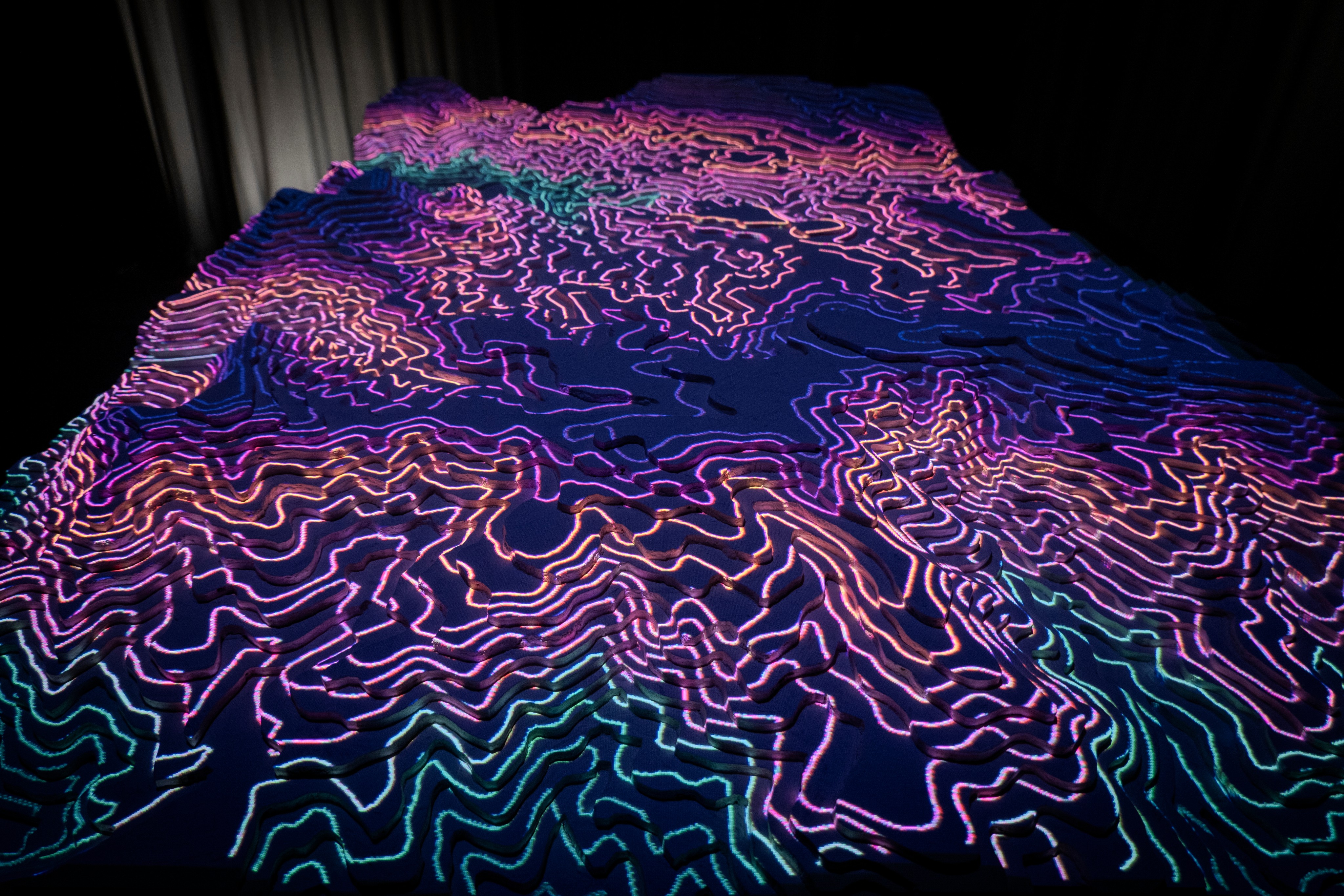
Fireside Interactive’s design merges physical and digital elements to create a realistic wildfire simulation. At its heart is a topographic table modeling a real landscape (with hills, valleys, and vegetation features). Over this 3D model, a projector displays a virtual wildfire that can ignite and spread over the terrain. The simulation is driven by a custom software model that factors in variables like wind speed, humidity, and ground fuel. Users can control these variables and introduce firefighting actions via a touch-screen interface, effectively “sandboxing” different scenarios.
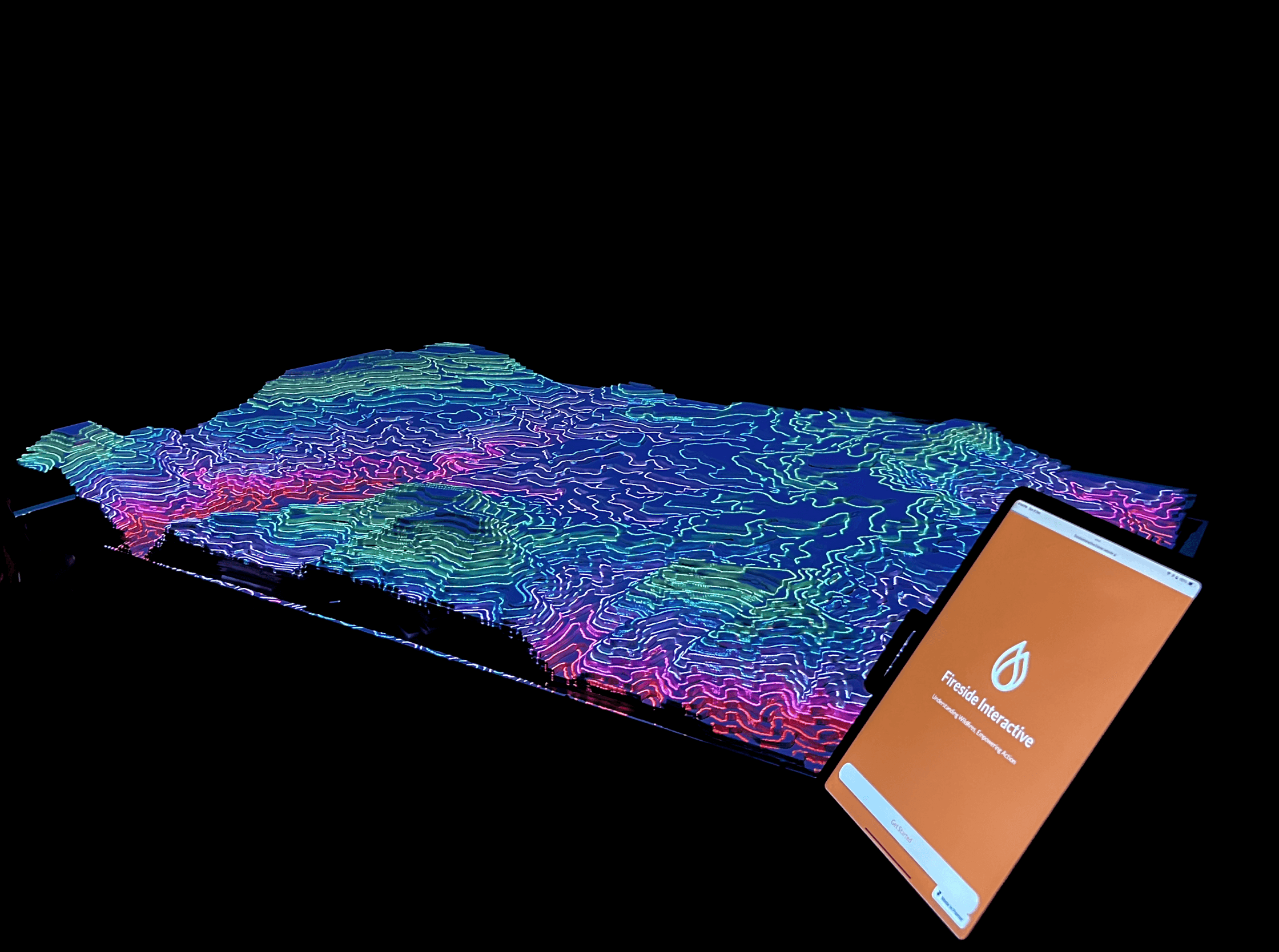
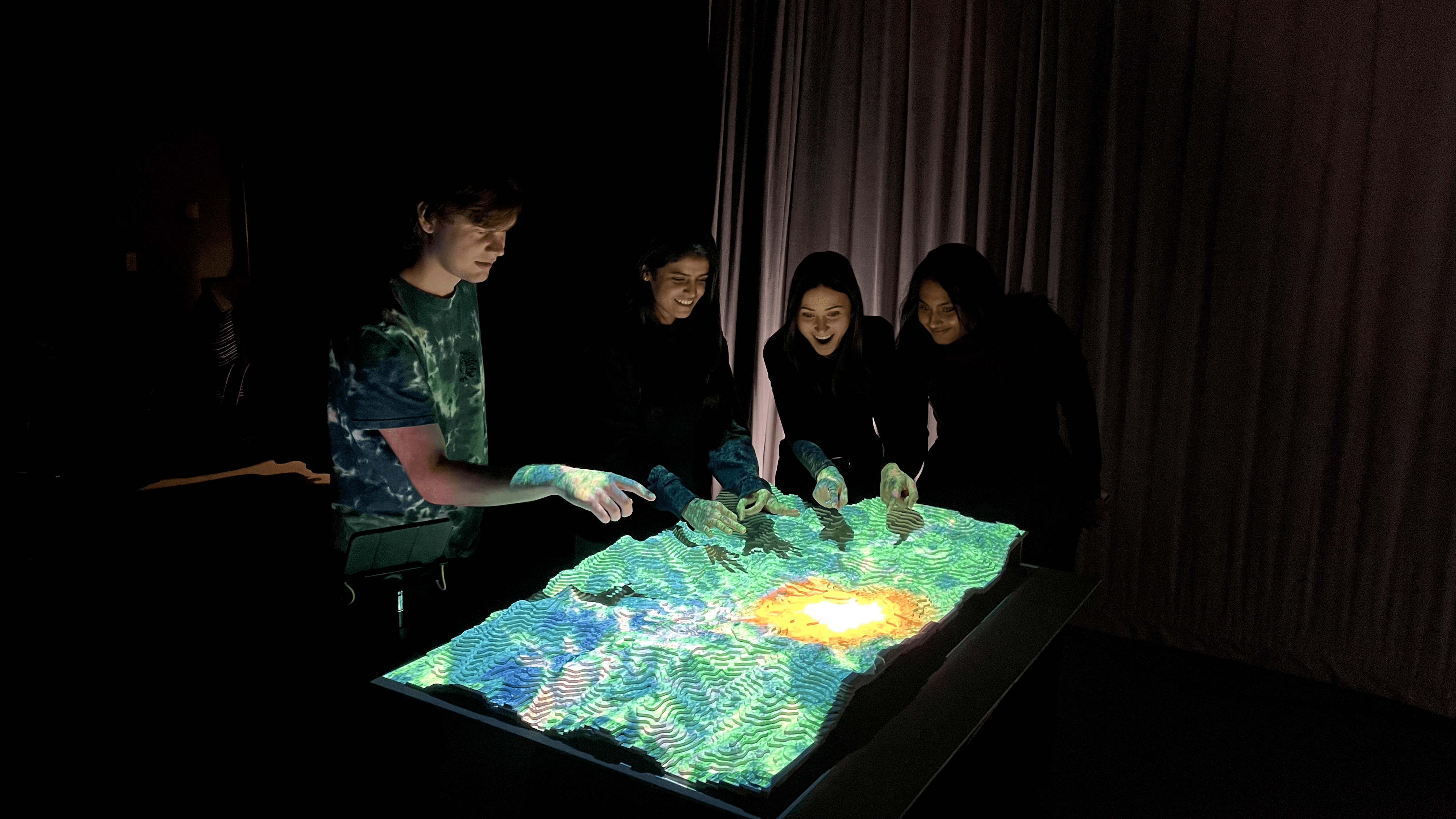
A projected wildfire simulation on a 3D terrain surface allows participants to visualize how a fire spreads across the landscape. Modern training tools like sand-table simulations have been used by fire agencies for years, replacing static dioramas with interactive digital modeling of wildfiresfireadaptednetwork.org.
The Design Experience
Information Mode
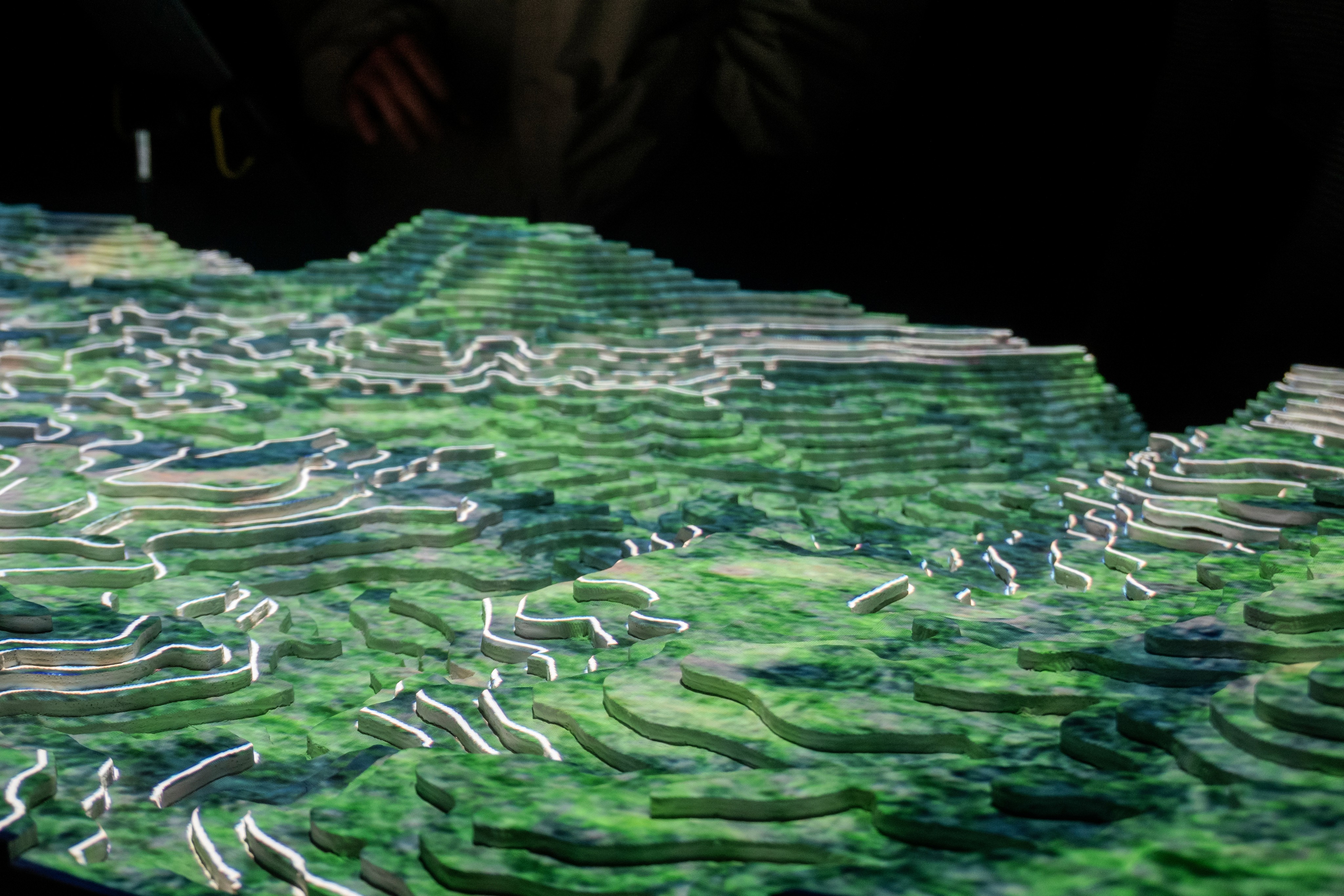
Users explore key environmental factors like vegetation type, dryness, and housing locations. This sets the context for fire vulnerability.
Simulation Mode
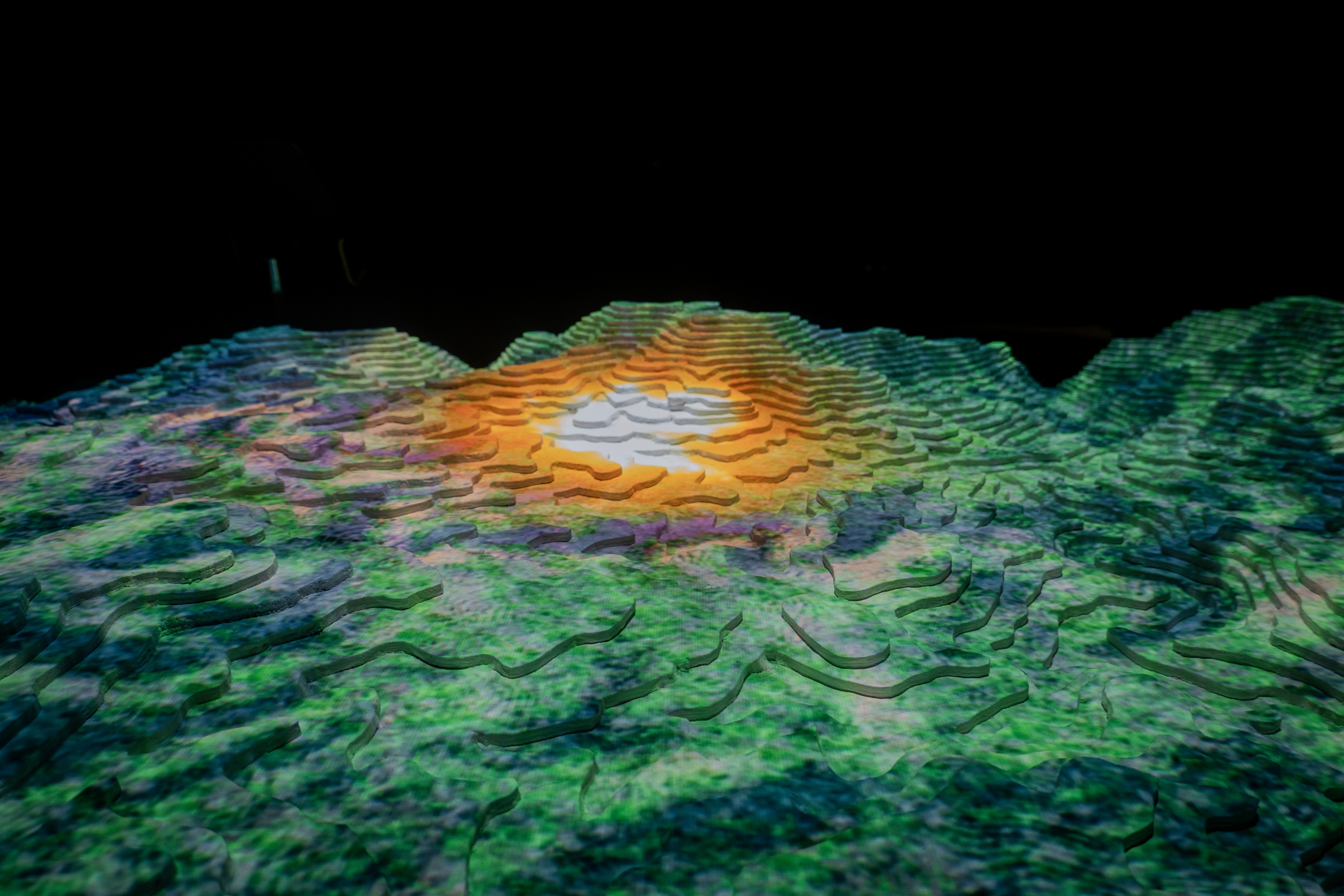
A wildfire is triggered on the 3D map and spreads dynamically. Users adjust variables like wind speed or humidity to see real-time effects on fire behavior.
Intervention Mode
Users apply firefighting tactics (like water drops or fire lines) and watch how these decisions impact the fire’s spread. It reinforces both strategy and prevention.
Prototype of Ipad Design
The Introduction screens
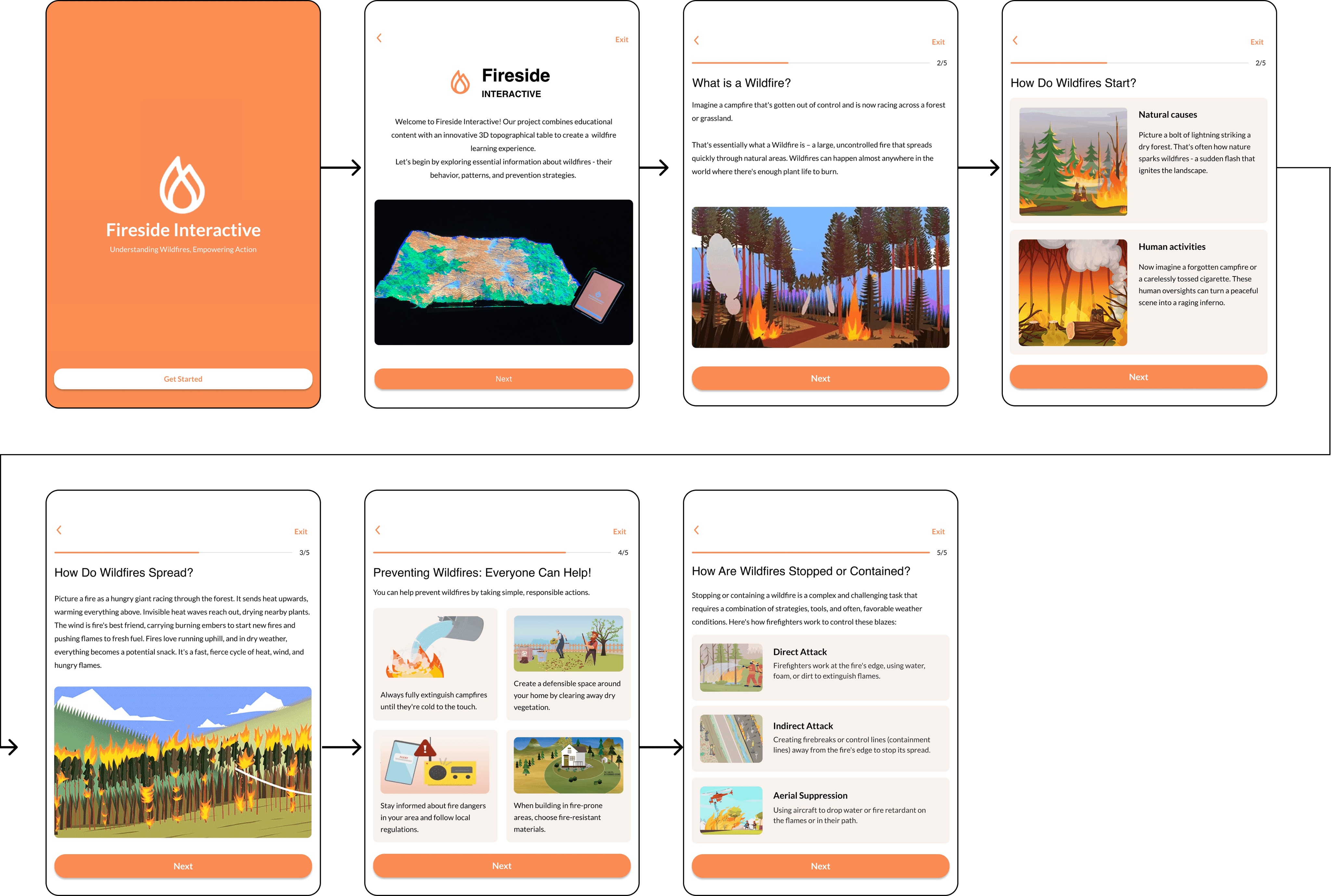
The screens are designed to help users understand that navigating wildfires is like navigating a complex maze. Each stage—ignition, spread, prevention, and containment—is a path in this maze, influenced by various factors. By exploring these pathways through the screens, users gain the knowledge needed to navigate the challenges of wildfires, contribute to prevention efforts, and find their way to safer, more informed outcomes. The more we understand this maze, the better equipped we are to handle its complexities and reduce its destructive impact.
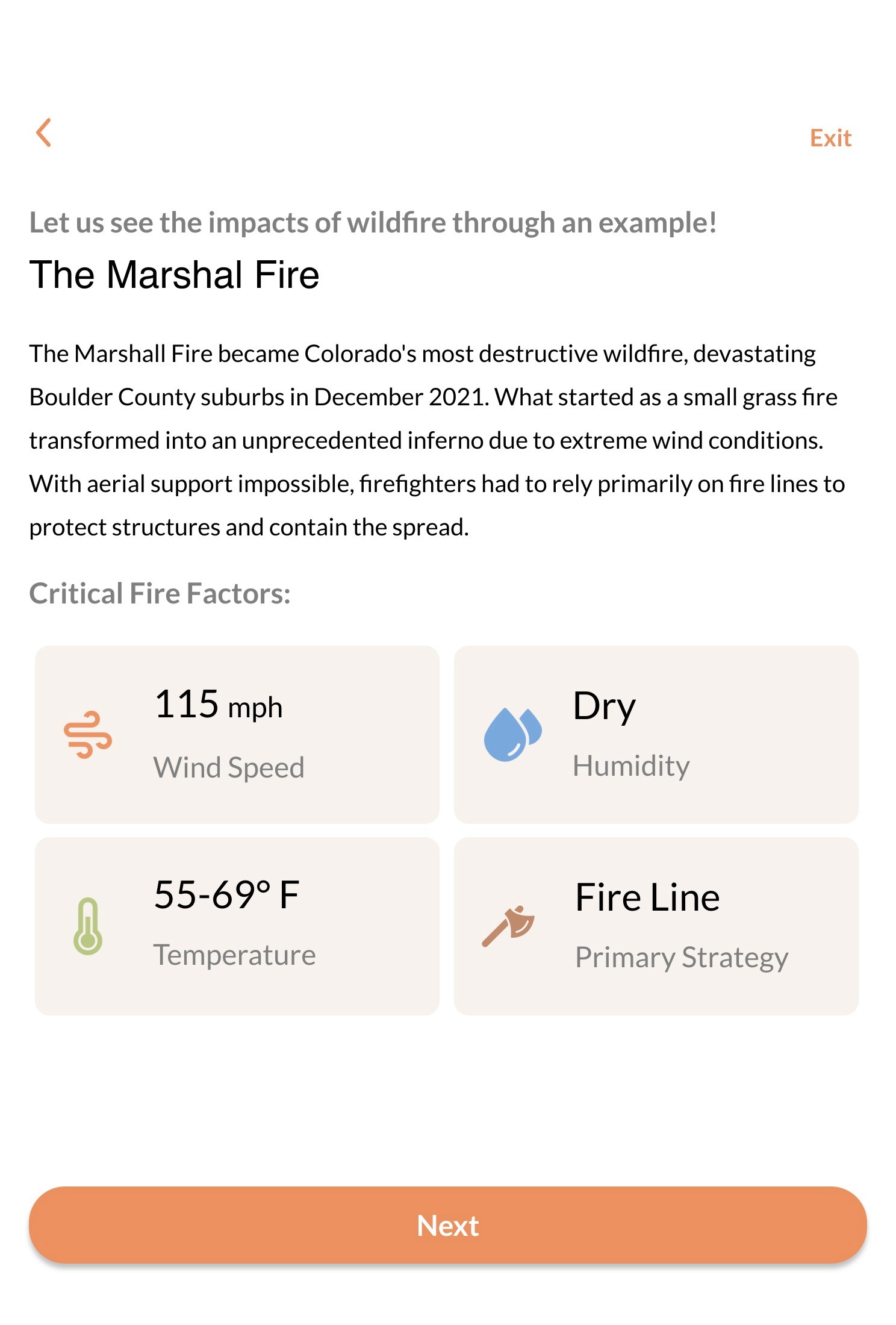
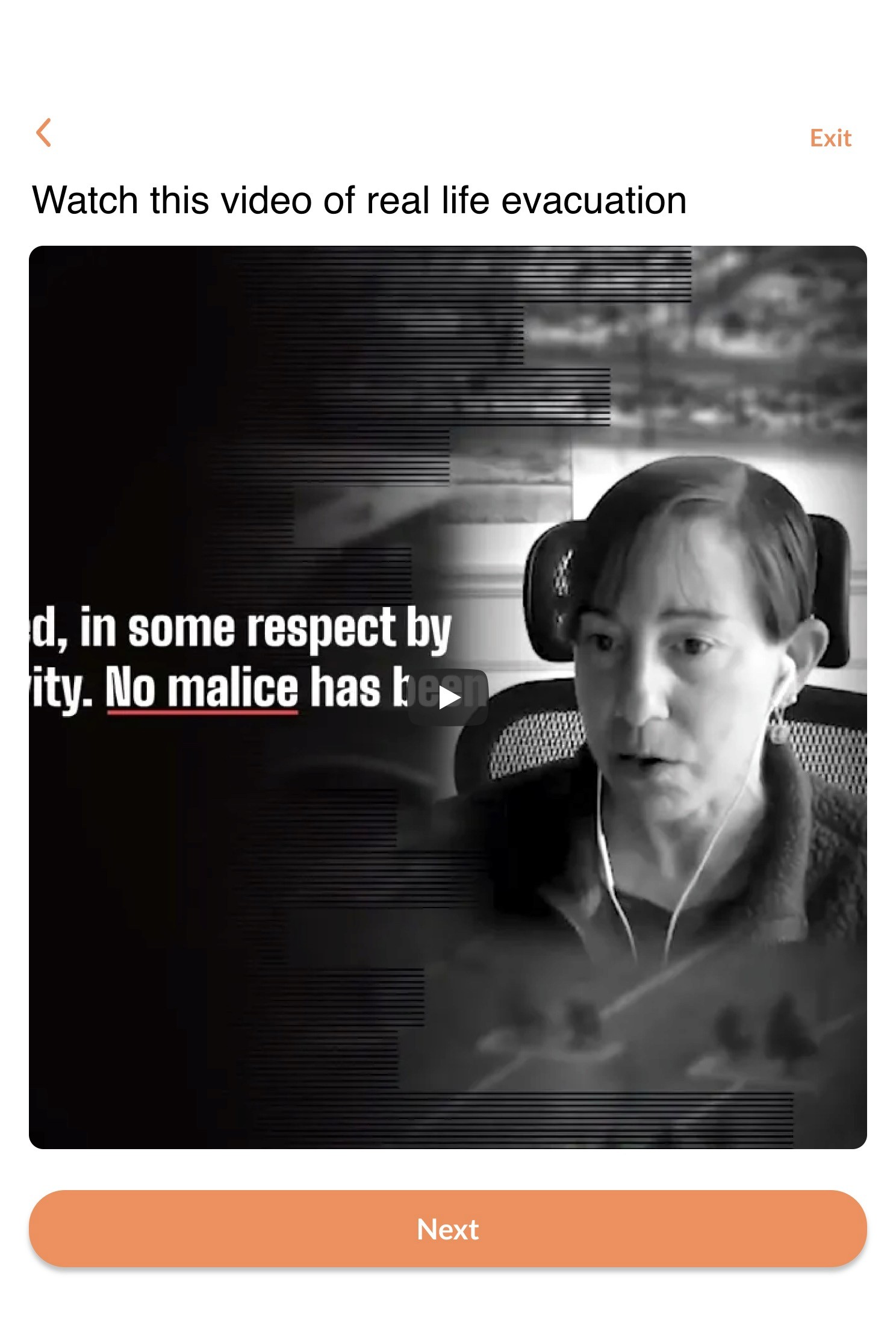
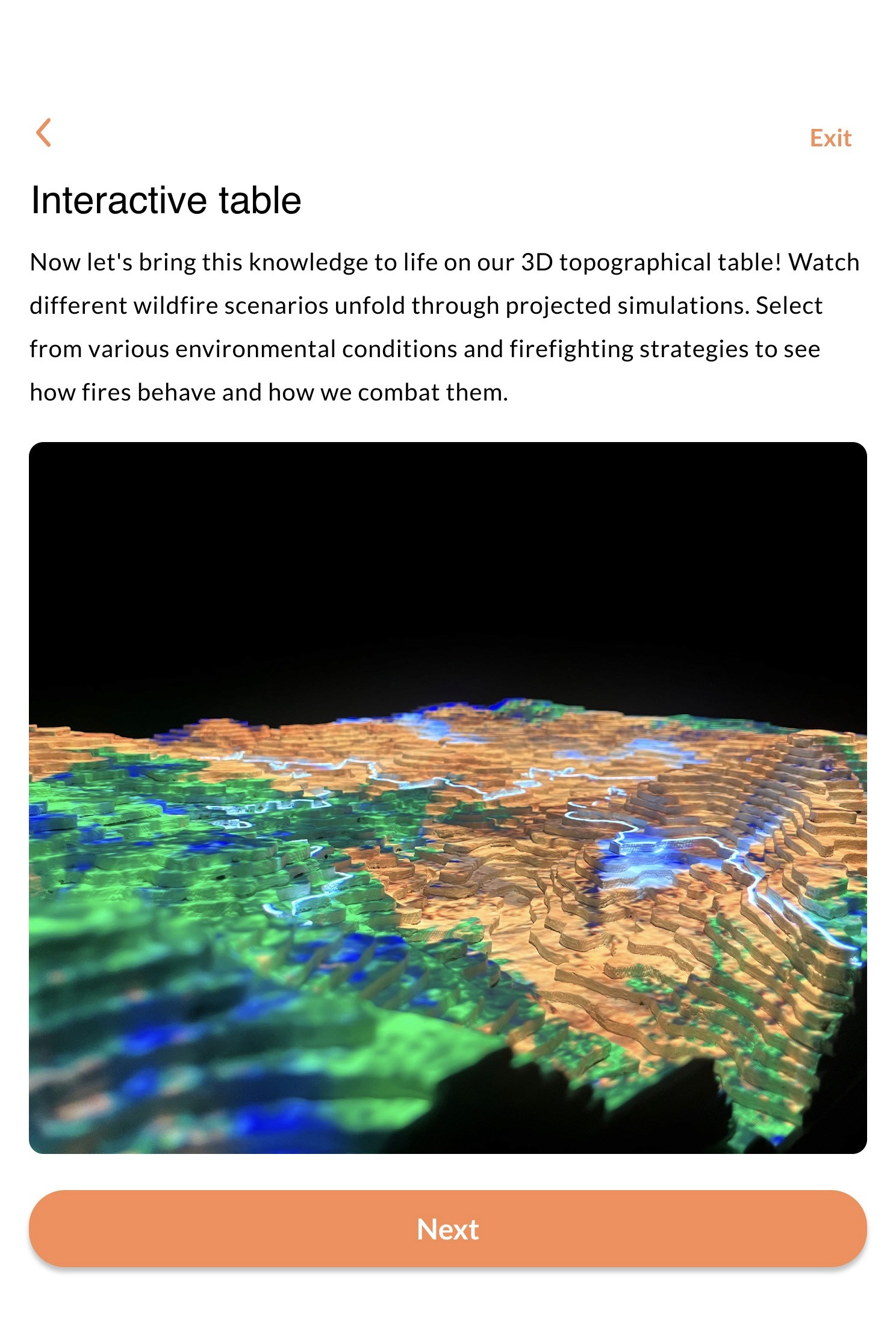
These screens are designed to provide a quick overview of the Marshall fire, offering valuable insights into the situation. We hope the accompanying video conveys the gravity of this incident and fosters a deeper understanding of its impact on the community.
Video link for the reference:
https://www.youtube.com/watch?v=1EKbImYLEvQ&t=1s
(Marshall fire information link)
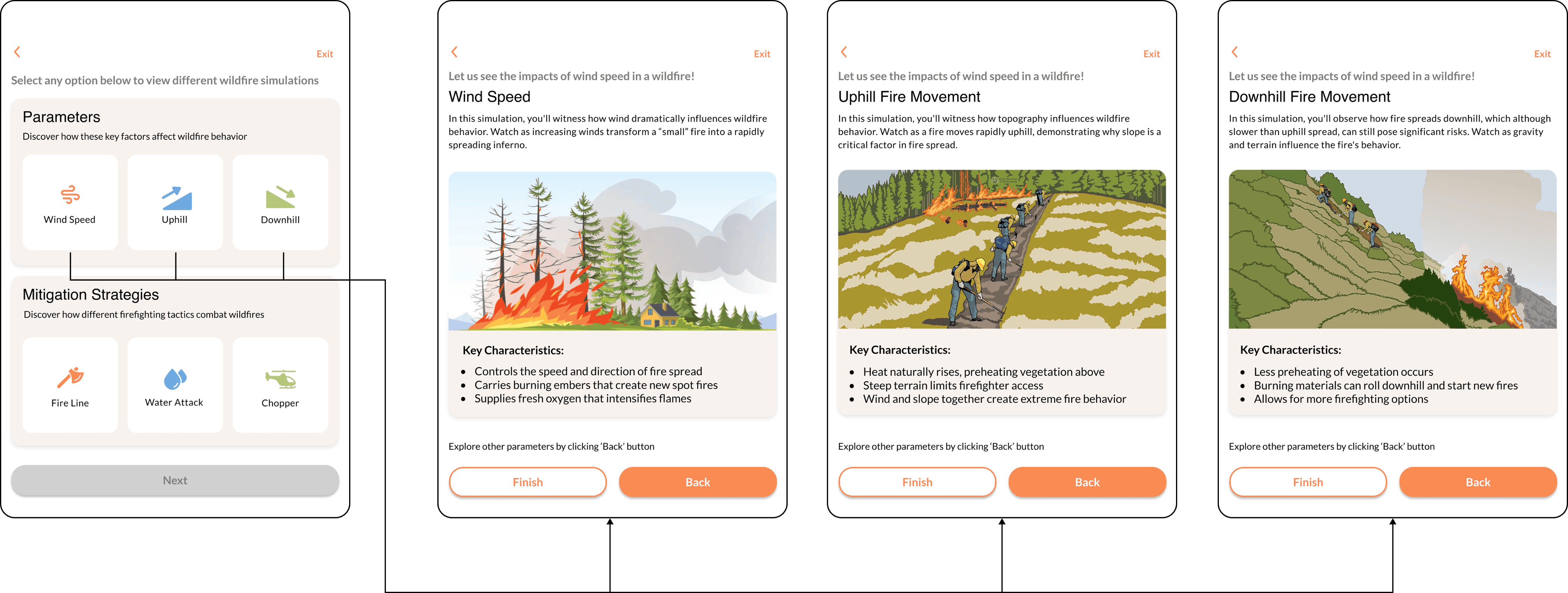
The following screens will help users understand the parameters of fire spread in the region, providing insight into fire behavior across three management strategies.
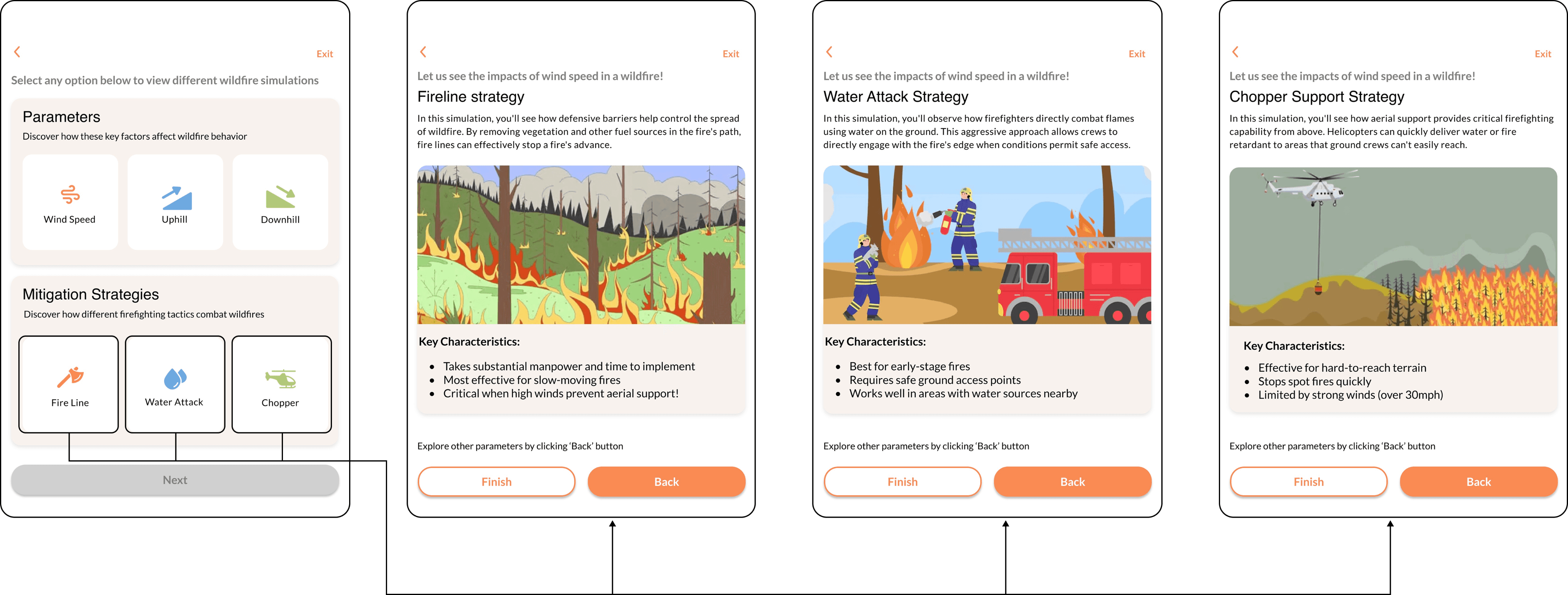
The screens represent the following strategies firefighters use to combat the fire as soon as possible.
Spatial Design and Materials
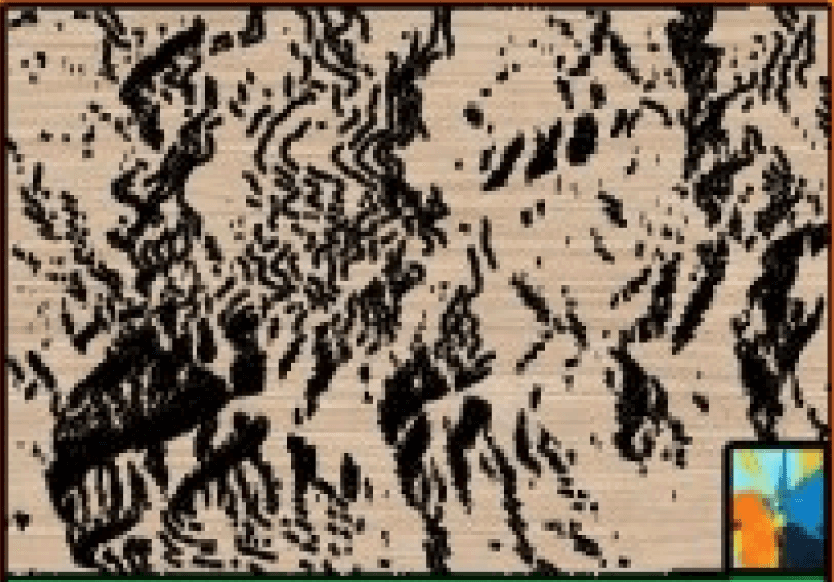
The plan of the placement of the
Users Enter dimly lit room with table/table in the center
Users ushered to control table with tablet
Staff help users navigate UI or any bugs with projection system
Staff running projection control for interactions
Entrance/Exit
Waiting and Viewing Area
UI Interaction
Table Interaction
Projection Control
Conclusion
Fireside Interactive successfully transformed complex wildfire data into an engaging, educational experience. By blending real-time projections, interactive controls, and narrative-driven UI, the simulation made fire behavior and prevention strategies accessible to all users — from curious learners to concerned community members. The hands-on format encouraged deeper understanding and empathy, showing that when people can explore cause and effect in a safe, immersive space, they’re more likely to retain knowledge and act with awareness. This project reinforced the value of designing for learning through experience.